Last updated: August 10, 2026
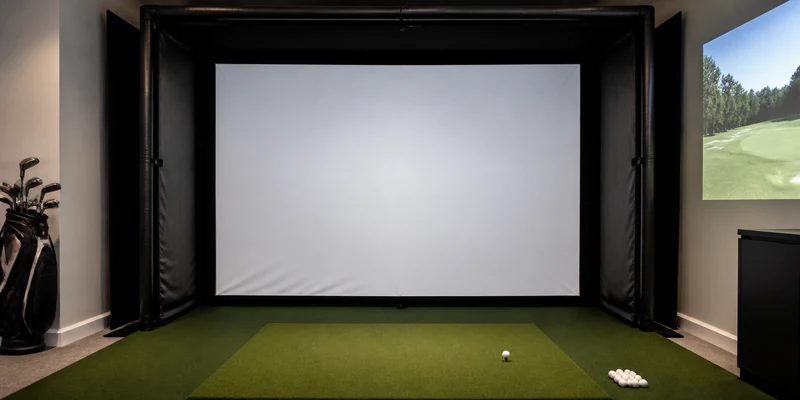
A golf impact screen has two jobs that pull in opposite directions: stop a golf ball traveling at full swing speed, and display a projected fairway crisply enough that you forget you are in the garage. Cheap screens do one or neither. Good ones do both for years, which is why the screen is the single component where cutting corners costs the most.
This guide explains what separates a true impact screen from a practice net with a picture on it: layer construction, weave tightness, edge reinforcement, mounting, and the safety habits that keep a screen setup friendly to the room around it. It also points to the screens that come up most often in owner feedback, from standalone panels to retractable systems.
This article contains affiliate links. If you buy through them, we may earn a commission at no extra cost to you. Learn more.
Quick Answer
Which golf impact screen should you buy?
- For real golf balls, buy a tightly woven multi-layer polyester screen with reinforced edges, sized to your frame with a border of free space around it.
- Mount it with even tension and buffer space behind the screen so it can flex on impact; a foot or more of clearance is a common recommendation.
- No screen safely catches every possible shot in every setup. Match the screen to the ball you use, and follow the space guidance in each listing.
What to Check Before You Buy
Impact screens look nearly identical in photos. The differences live in the specifications below, all of which you can check from a listing.
| What to check | Why it matters | What to look for |
|---|---|---|
| Layer construction | Layers absorb impact and quiet the shot | Multi-layer (often described as triple-layer) impact-rated polyester; single-layer sheets suit foam or plastic balls only |
| Weave tightness | Determines image sharpness | A tight, smooth weave with minimal visible texture; loose weaves show grid lines through the projected image |
| Edge finish | Edges take the mounting stress | Reinforced, padded, or grommeted borders; raw-cut edges fray and tear from the corners first |
| Size and aspect | Must match frame and projector image | Common home sizes around 10 by 8 feet; note whether the shape is closer to 4:3 or 16:9 for your projector plan |
| Ball rating | Real balls demand real screens | Explicit real-golf-ball rating in the listing; when absent, assume limited-flight balls only |
| Mounting system | Tension decides both safety and image quality | Ball bungees or straps on all sides, with enough attachment points for even tension |
Screens rarely live alone: most hang inside a frame with side walls, the setup covered in our golf simulator enclosure guide. If you plan to build the frame yourself, the DIY enclosure walkthrough shows where a standalone screen fits in.
Impact Screen or Practice Net: Know the Difference
The distinction is worth stating plainly because the products look interchangeable online. A practice net is designed to slow and drop a ball. An impact screen is designed to stop a ball flat, spill its energy across woven layers, and drop it near the base, all while doubling as a projection surface. Hitting real balls into a product designed for the first job while expecting the second is how screens fail and rooms get damaged.
That said, screens are not magic. Their protection depends on tension, buffer space, and the condition of the material. A worn spot, a saggy corner, or a screen strapped hard against a concrete wall changes how much energy comes back at you. Treat the screen as one part of a safe bay, not the whole answer, and check each listing’s space guidance rather than assuming any screen suits any room.
Our Top Impact Screen Picks
How we chose: we compared widely available impact screens on layer construction, image smoothness, edge durability, and how consistently owners report screens surviving regular real-ball sessions without dimples or fraying. Selections lean on manufacturer specifications and recurring themes in customer reviews rather than any hands-on trial of our own.
Every pick below is a multi-layer screen intended for real golf balls when mounted with proper tension and clearance.
🏆 Best Overall
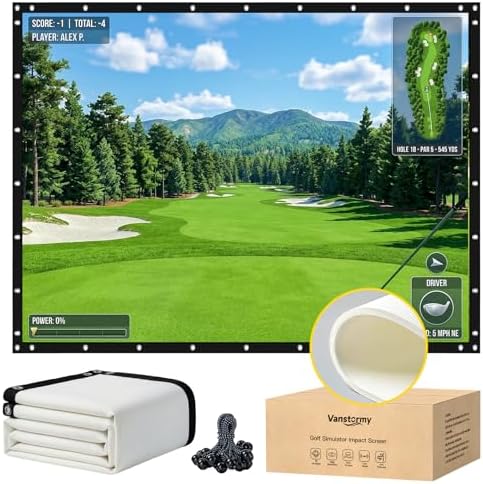
A multi-layer woven screen with reinforced edges and a smooth projection surface in the popular 10 by 8 foot class. Reviews consistently mention the balance of picture quality and durability for regular home use.
💛 Best Value
A budget-friendly multi-layer screen that covers the essentials, a sensible match for first builds and DIY frames where the total budget has to stretch across screen, projector, and mat.

⭐ Upgrade Pick
A premium heavyweight screen with a notably tight weave for the sharpest projected image and generous edge reinforcement, aimed at permanent simulator rooms that see daily sessions.

Picks by Situation: Multi-Use Rooms and Full Kits
Two situations change the buying decision enough to deserve their own recommendations.
🎞️ Best Take-Down Option
A grommet-hung screen that unhooks from its mounting and packs away between sessions, made for garages that still need to park a car and family rooms that host more than golf. Expect some trade-off in tension compared with a fixed frame.

📦 Best Screen-and-Frame Bundle
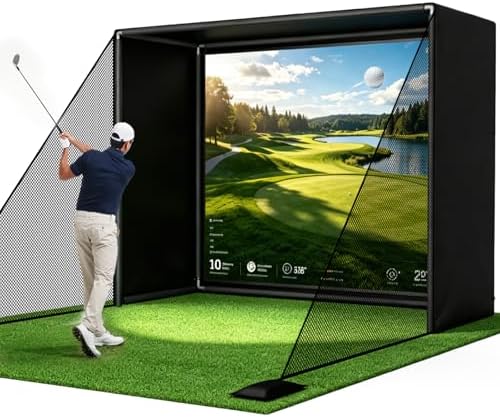
A complete enclosure kit for golfers who would rather buy the screen, frame, and side walls as one matched package; the full category is covered in our enclosure guide.
Mounting, Tension, and Screen Care
Tension is the difference between a screen that performs and one that merely hangs. Attach the screen at every provided point, work around the perimeter tightening gradually the way you would a drum head, and aim for a surface that is taut and flat without being stretched hard. Too loose and the image ripples while balls pocket deeply; too tight and shots get louder, bounce-back sharpens, and edges wear early. Leave clearance behind the screen so it never strikes the wall at full flex.
Care is simple but real. Rotate your aim point slightly across sessions so wear spreads, brush or spot-clean ball marks before they set, and inspect edges and attachment points monthly. Clean balls matter more than most golfers expect: range dirt on a ball face prints straight onto the projection surface. When a screen develops a worn, fuzzy center patch, treat that as the replacement signal rather than a cosmetic issue.
Common Mistakes to Avoid
- Hitting real balls into a limited-flight screen. If the listing does not explicitly rate the screen for real golf balls, it is not rated for them. This is the most expensive assumption in the category.
- Mounting flush to a wall. Without buffer space, impact energy has nowhere to go but back into the room and the screen itself.
- Uneven tension. A screen tight on one side and loose on the other distorts the image and concentrates stress on a few attachment points.
- Ignoring the surrounding area. Mishits exist. Keep people, pets, windows, and anything fragile out of the line of play and to the sides of the hitting area.
- Buying the screen after the projector. Screen shape and size determine the image you can project. Choose them together, or the screen dictates compromises later.
Where to Go From Here
A screen is one third of the visual setup. The simulator projector guide covers the throw distance and brightness questions that pair with your screen size, and the enclosure guide handles the frame and side walls around it. If you are assembling the full simulator picture from launch monitor to software, our best golf simulator for home guide connects all the parts.
Frequently Asked Questions
Can you hit real golf balls into an impact screen? Yes, if the screen is explicitly rated for real balls and mounted with even tension and clearance behind it. Screens without that rating should only see foam or limited-flight balls.
How far behind the impact screen should the wall be? Leave enough space for the screen to flex fully without touching anything behind it. A foot or more is a common recommendation, and extra clearance quiets the setup further.
How long does an impact screen last? It depends on ball count, ball cleanliness, and tension. Owners commonly report years of regular use from quality multi-layer screens, with the center wear patch as the usual end-of-life sign.
Do impact screens work with any projector? Any projector can light one, but image size, throw distance, and aspect ratio need to match the screen. Our projector guide walks through that pairing.
Is a retractable impact screen worth it? In shared rooms, often yes: it converts the space back in seconds. The trade-off is tensioning that rarely matches a fixed frame, so dedicated simulator rooms usually stay with fixed mounting.
The Bottom Line
The best golf impact screen is a tightly woven, multi-layer panel with reinforced edges, sized with your frame and projector in mind and mounted with even tension plus real buffer space. Match the screen rating to the balls you hit and respect the space guidance in each listing. Spend well here once, and every session afterward looks and sounds better for it.