Last updated: August 10, 2026
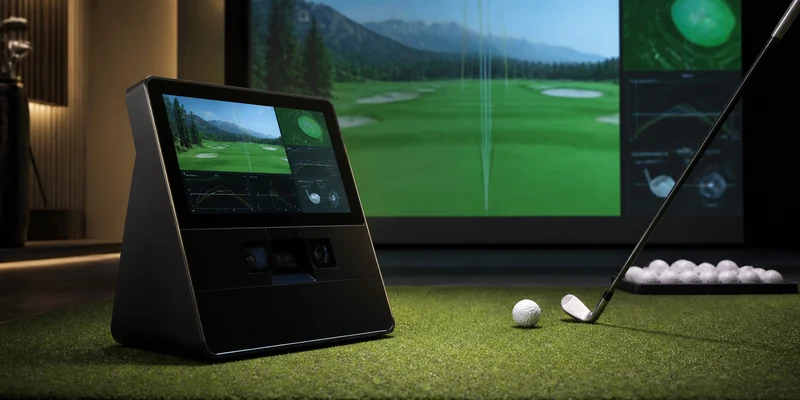
The Garmin Approach R50 is Garmin’s answer to a question a lot of golfers eventually ask: what if the launch monitor simply did everything itself? Instead of radar plus phone plus laptop plus software licenses, the R50 packs camera-based measurement, a color touchscreen, and on-device simulation into one box. Set it beside the ball, swing, and the screen shows your numbers and your virtual hole without another device in the room.
That convenience defines both the appeal and the price tier, so this review weighs what the all-in-one approach genuinely buys you and where a cheaper split setup still competes. As always on this site, it is an assessment of specifications and owner feedback patterns, not a hands-on lab test.
This article contains affiliate links. If you buy through them, we may earn a commission at no extra cost to you. Learn more.
Quick Answer
Is the Garmin Approach R50 worth it?
- Yes, if you want the simplest path to serious home practice: camera-based ball and club data plus built-in simulation, with no laptop or phone required to play.
- Its cameras read the ball at impact, which makes it far more at home in indoor rooms than radar units in the same family.
- Skip it if your budget stops at the mid tier or you only practice outdoors; the cheaper Garmin R10 covers that job well.
Garmin Approach R50 at a Glance
The R50 sits next to the hitting position, watches impact with cameras, and shows everything on its own touchscreen.
| Category | What to know |
|---|---|
| Technology | Camera-based measurement positioned beside the ball, reading impact directly |
| Data reported | Ball and club metrics shown on the built-in color touchscreen |
| Simulation | On-device virtual golf out of the box; can also drive a larger display for a full bay setup |
| Subscription | Core measurement and on-device play work without one; some expanded features and course content tie into Garmin Golf app membership tiers |
| Where it works | Indoors and outdoors; cameras make it well suited to net and screen setups |
| Handedness | Serves both right- and left-handed golfers; check current setup guidance for switching |
| Ideal for | Golfers who want one premium device for practice and simulation without a computer |
| Less ideal for | Budget buyers, outdoor-only golfers, tinkerers who prefer building a software bay around a PC |
What the R50 Gets Right
The core promise holds: this is the least complicated serious launch monitor experience in the consumer tier. Owners consistently mention how quickly a session starts, no phone pairing, no laptop boot, no license juggling, just the unit and its screen. Because the cameras read the ball at impact rather than tracking flight, short indoor rooms do not undermine it the way they can undermine radar, which makes the R50 a natural centerpiece for a garage or basement bay.
The data presentation is the second strength. Numbers, shot shape, and virtual holes all live on the touchscreen, and sessions sync into Garmin’s ecosystem so your history stays in one place. Add the option to push the picture to a bigger screen and the R50 scales from solo range practice to a proper simulator evening; if that build-out interests you, our home golf simulator guide shows where a unit like this fits.
Where the R50 Falls Short
Price is the obvious hurdle: the R50 sits in the premium consumer tier, and a split setup built around a cheaper monitor can deliver a lot of the same practice value. The all-in-one design also means you are buying Garmin’s whole vision; golfers who want to assemble a bay around specific third-party software should confirm current compatibility for their preferred titles before committing, because the R50 is designed first as a self-contained experience.
Two smaller caveats repeat in owner feedback. Camera units reward a consistent, level setup and reasonable lighting, so treat placement as part of the routine rather than an afterthought. And while core measurement and on-device play work without a membership, some expanded features and course content tie into Garmin Golf app tiers, so read the current terms if the full virtual course library is the reason you are buying.
How the R50 Compares
Against its little sibling, the comparison is honest and simple: the Approach R10 is radar, phone-based, and far cheaper, and it remains the better outdoor-first buy; the R50 is the better indoor simulator and the better screen-free experience. Against the Bushnell Launch Pro, the R50 trades some of Foresight’s indoor data pedigree for built-in simulation and no tiered software plans at the core. Against the Rapsodo MLM2PRO, the R50 costs meaningfully more but needs no premium membership to be complete. The full field is ranked in our best golf launch monitor guide, where the R50 is the Upgrade Pick.
Check It Out
How we chose: the standard R50 package is the configuration owner feedback describes, and the built-in screen is the whole point of this model.
⭐ The All-in-One Premium Pick
Camera-based measurement, a color touchscreen, and on-device simulation in a single box: the most complete single-device experience in the consumer launch monitor tier.

Who It Is For, and Who Should Skip It
Buy the R50 if you practice indoors or split time between indoors and out, value setup speed over tinkering, and want measurement and simulation to arrive in one decision instead of five. It suits garage bays, basement setups, and golfers consolidating a pile of gadgets into one serious device.
Skip it if you are budget-first, outdoor-only, or the type who enjoys building a PC-based bay around specific software. In those cases the R10 or a camera unit paired with third-party titles delivers more per dollar of enthusiasm, and our software guide maps that route.
Alternatives Worth Considering
Three directions, depending on what pulls you away from the all-in-one idea.
🏆 The Budget Sibling
Garmin’s portable radar with a broad data set and app-based experience, at a fraction of the price; the sensible choice for outdoor-first golfers.

📷 The Indoor Data Specialist
Foresight camera technology in a consumer package, a reference point for indoor ball data; club data and software connections sit behind tiered plans.

🎯 The Membership Alternative
Dual cameras plus radar with measured spin and impact video, cheaper up front, with most headline features behind Rapsodo’s premium membership.

Frequently Asked Questions
Does the Garmin R50 need a subscription? Core measurement and on-device simulation work without one. Some expanded features and course content tie into Garmin Golf app membership tiers, so check the current terms for the features you care about.
Does the R50 work indoors? Yes, and that is its strength: camera-based units read the ball at impact, so short ball flight into a net or screen does not compromise them the way it can compromise radar. You still need safe swing space and the listed setup distances.
Do I need a computer or phone to use it? No. Measurement and simulation run on the device and its touchscreen. Connecting a larger display is optional for a fuller bay experience.
Is the R50 better than the R10? They serve different buyers. The R50 offers camera measurement, a screen, and built-in simulation at a premium price; the R10 is the far cheaper radar option that shines outdoors. Our launch monitor guide places both.
What numbers does it show? Ball and club metrics presented on the touchscreen, in line with what this class of camera unit reports. For what each metric means for your practice, see launch monitor numbers explained.
The Bottom Line
The Garmin Approach R50 earns its premium the honest way: cameras that suit indoor practice, a screen that removes every extra device, and simulation that works the moment it is unboxed. Budget buyers and outdoor-only golfers have cheaper answers, but as a single-box home golf centerpiece, the R50 is the one to beat.